
Industry solutions
Event Software for Government Agencies and Public Programs
State and local agencies run trainings and public meetings as well as supplier days, and each has to pass an IT review and a finance office before the first registration. Connect Space gives your program staff one place to run the event, and gives your reviewers the controls they ask about: required two-factor sign-in, an audit log, your own domain, and the payment options your agency already uses.
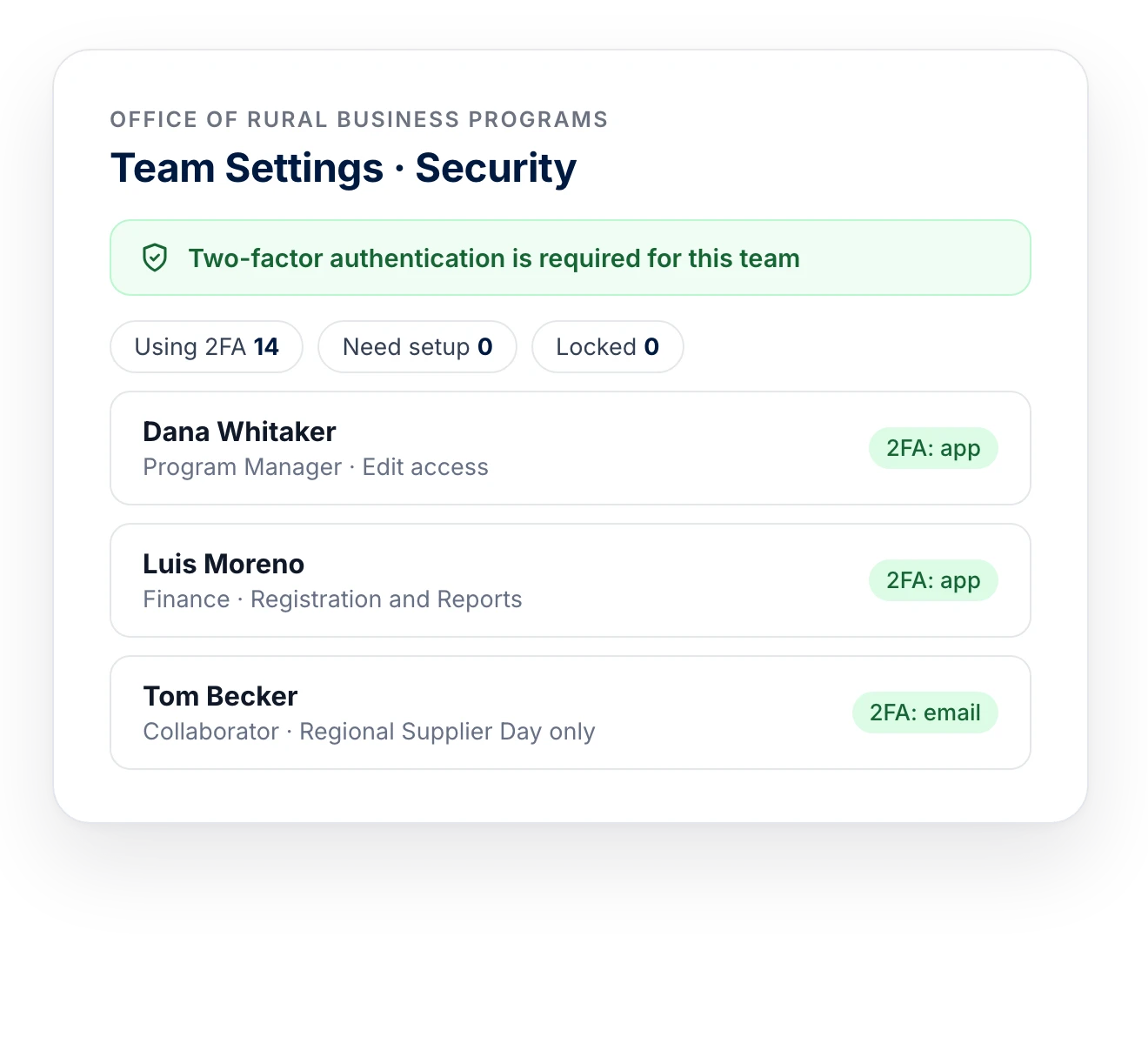
Built to Clear Your Review
Before an agency can open registration, someone in IT asks who can sign in and what gets logged. Then they ask where attendee data goes. Someone in finance asks how payments reach the agency’s account and how they reconcile. The program team just wants the training on the calendar.
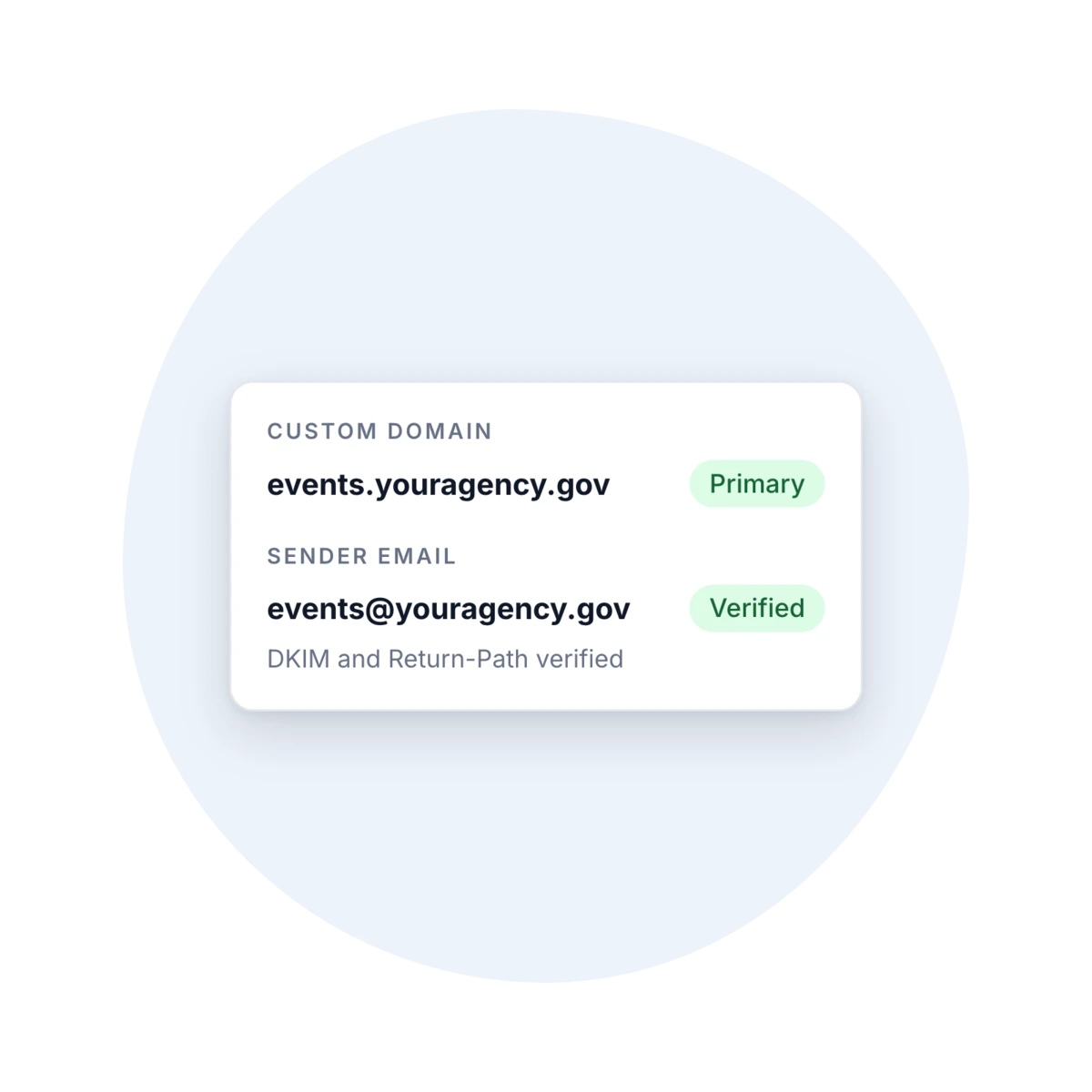
Connect Space answers those questions up front. Your team can require two-factor authentication for every planner, including outside contractors invited to a single event. Team Activities records who created something and who changed or deleted it, and when. Your public site and registration run on your own subdomain, and event emails come from your own address once your domain is verified.
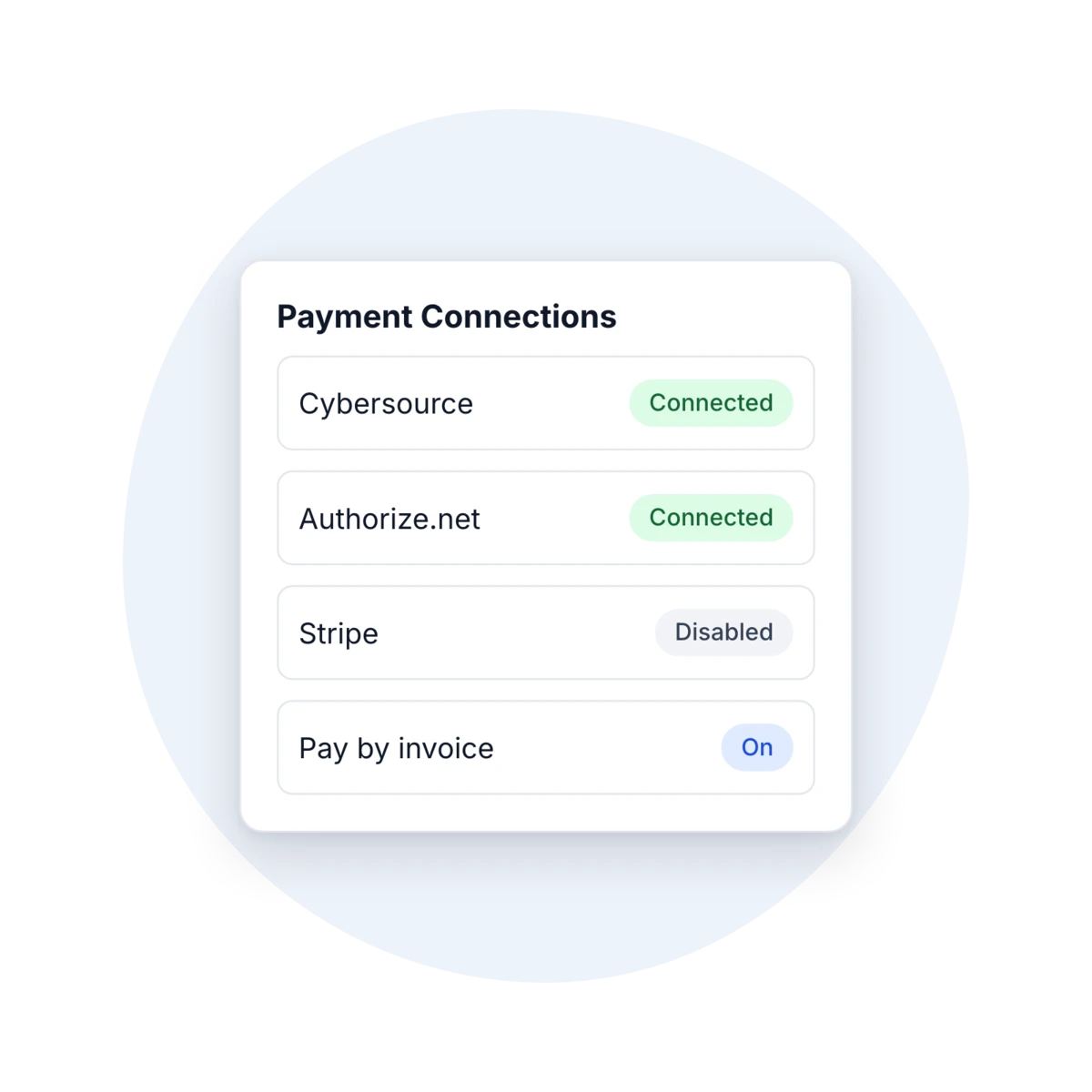
Cards go through your agency’s Stripe, Authorize.net, or Cybersource account, or attendees can pay by invoice or check. After the event, attendance reports show who came in person and who watched live, and reports sent outside your team need a download password.
Access Your IT Team Can Sign Off On
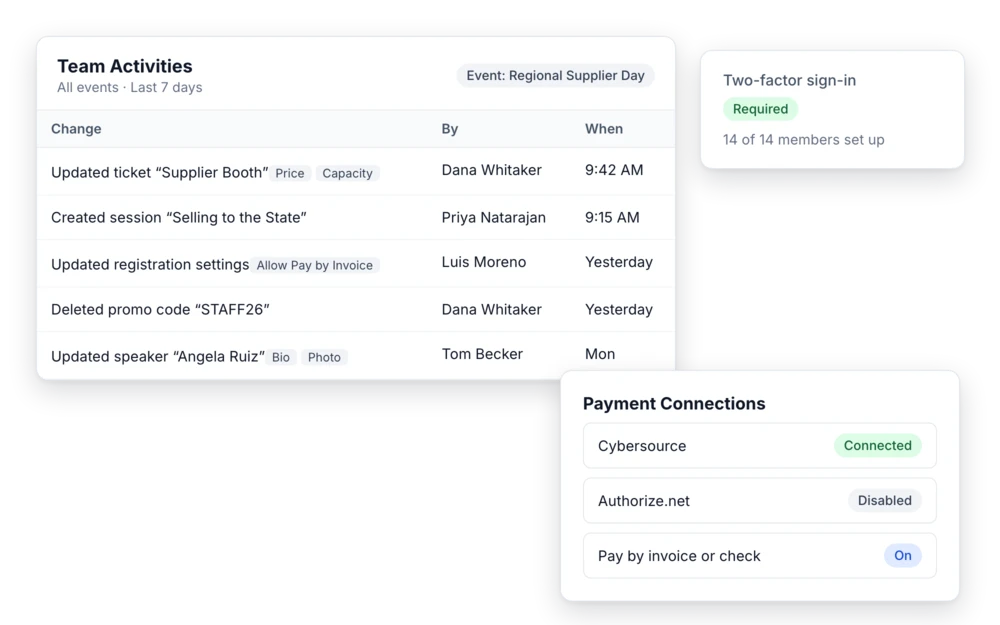
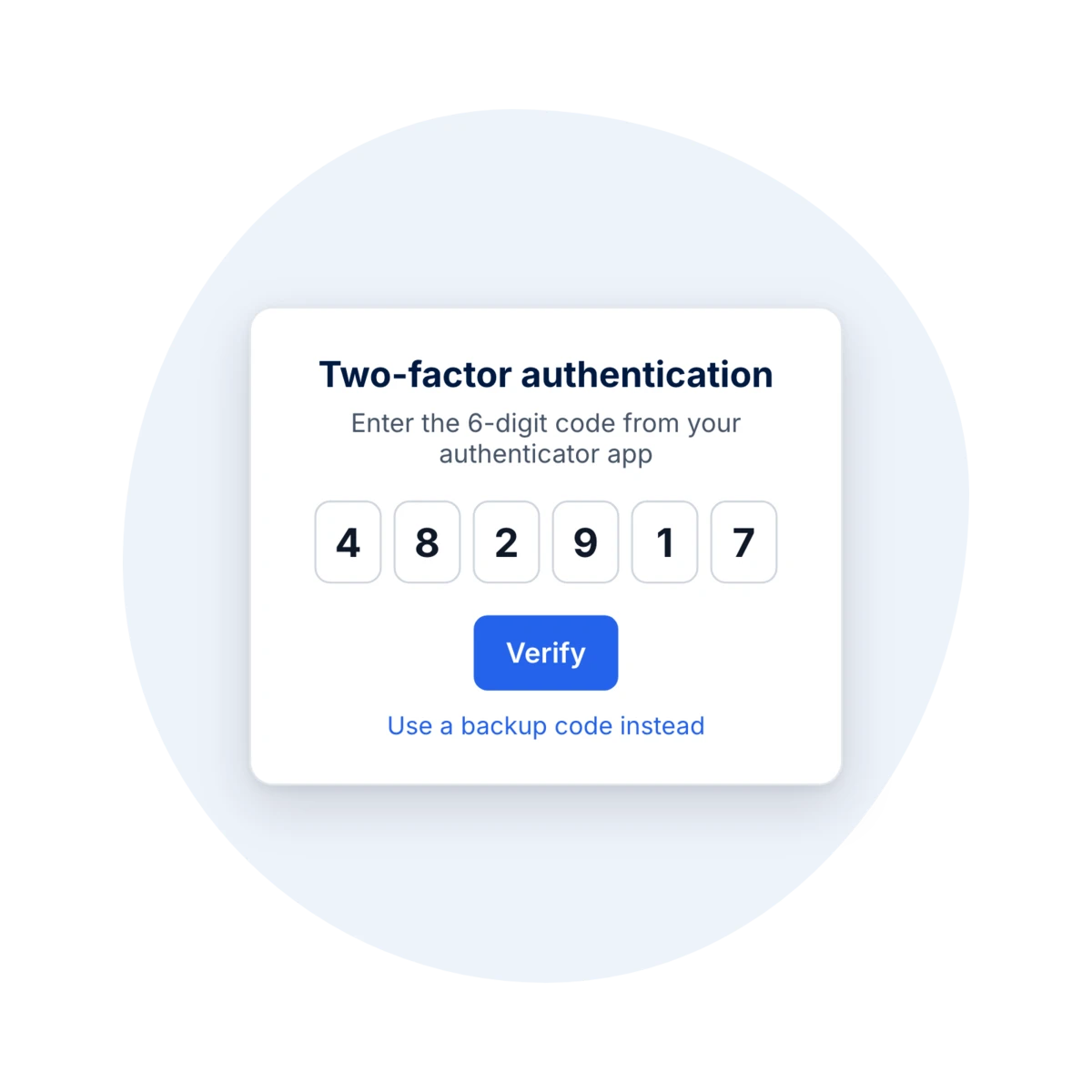
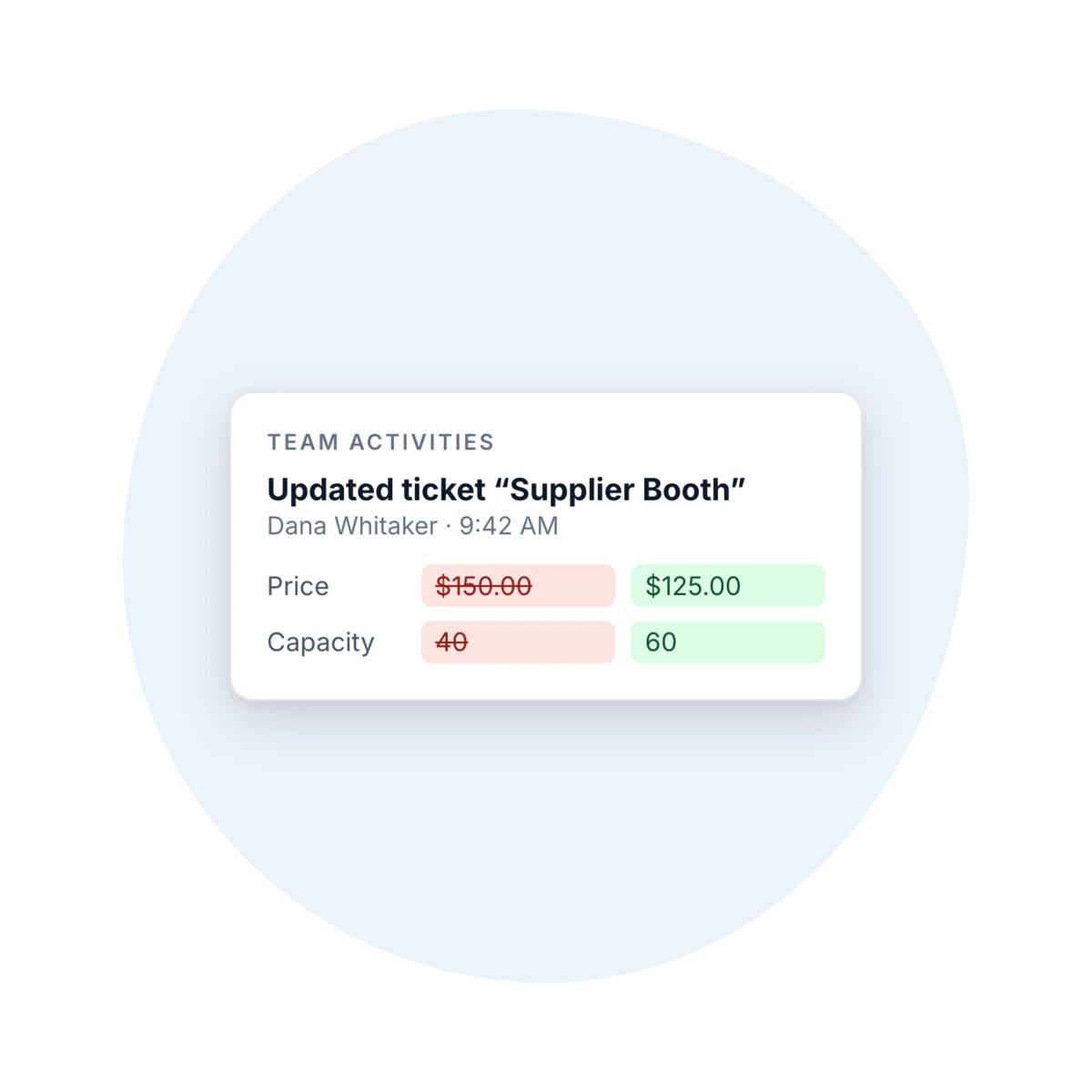
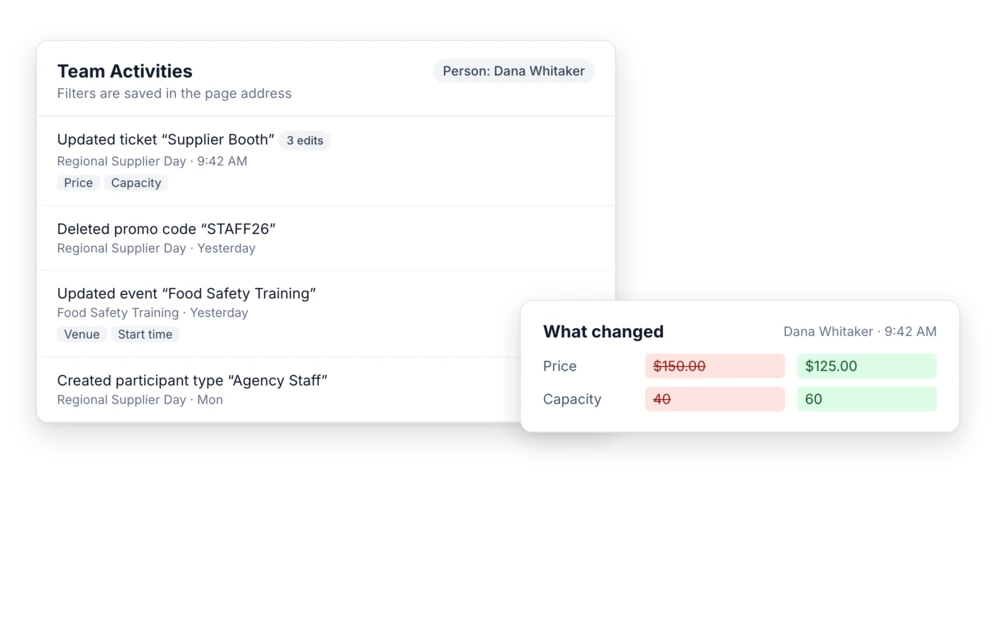
Turn on the team requirement and every planner signs in with a 6-digit code from an authenticator app or email, including collaborators invited to one event. Five wrong codes lock the account until our support team unlocks it. Each person gets view or edit access by area, such as Registration, Agenda, or Reports, and collaborators see only the events you assign them. Team Activities logs who created, updated, or deleted each record and shows the fields that changed with their old and new values. Filter it by event, type, person, and timeframe. Passwords and IP addresses are never recorded.
Payments Through Your Agency’s Accounts
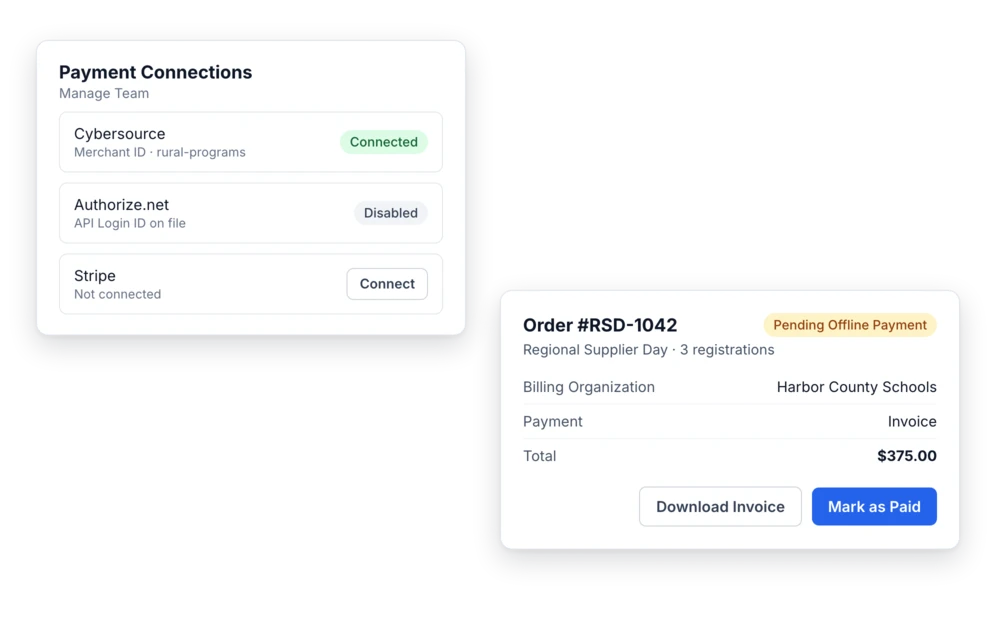
Connect the processor your finance office already uses: Stripe, Authorize.net, or Cybersource. Each event picks its connection, and the money goes to your account on your provider’s payout schedule. Cybersource payments and refunds carry the event name, confirmation number, and team name, so finance can match each charge to its order. For attendees who pay by purchase order, turn on pay by invoice, check, or at the door, and bill the invoice to their organization. Mark the order paid when the money arrives. The Order Overview report lists each transaction ID for reconciliation.
Attendance Records for Every Program
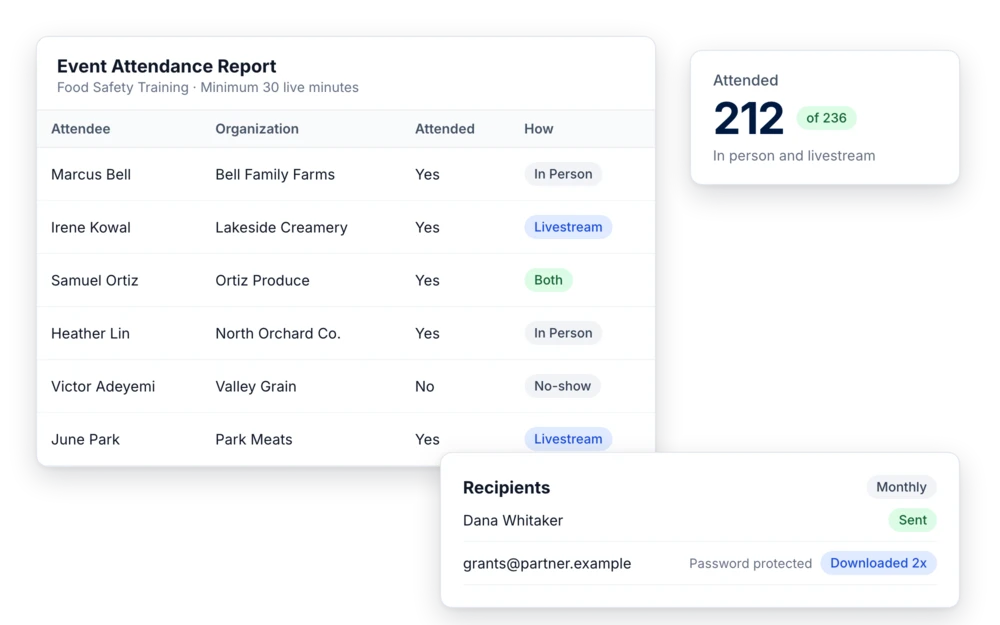
Run trainings, public meetings, and supplier days from one account. Check attendees in at the door, or scan them in and out of sessions for timesheets. The Event Attendance report shows who attended in person, by livestream, or both, and you can set the minimum live minutes that count. Schedule reports to run daily, weekly, or monthly, and send them to staff or outside partners. Outside recipients need a download password you share separately, and the report shows when each one downloaded it.

Pure Michigan Business Connect
With Connect Space, Pure Michigan Business Connect has averaged 90% meeting attendance across its buyer and supplier matchmaking summits.
Using this management software has exceeded my expectations, and has also provided unique ways to improve the overall event experience.
Robert Chasnis
Development & Operations Manager

FAQs

Yes. Turn on the requirement in Team Settings, and every member signs in with a 6-digit code from an authenticator app or email, including collaborators invited to a single event. Members without it set it up on their next sign-in. Only our support team can turn the requirement off.
Yes. Team Activities records who created, updated, or deleted records across your events, with the fields that changed and their old and new values. Filter by event, type, person, and timeframe, and share a filtered view by link.
Yes. Invite them as collaborators to the events they work on. They see only those events, with view or edit access for each area you choose.
Yes. Your home page, event pages, registration, forms, and attendee portal can run on a subdomain you own, such as events.youragency.gov, connected with one DNS record. Verify your email domain too, and event emails send from your own address.
Stripe, Authorize.net, and Cybersource. Your team connects its own account, and each event chooses which one to use. Attendees can also pay by invoice, check, or at the door.
AI features are optional and turned on per team. Data sent to the AI is not used to train models, and the assistant sees only your team’s data with the signed-in person’s permissions. Our AI page answers the questions IT reviewers ask most.
Add their email as a recipient and set a download password of at least 8 characters, which you share with them separately. Each report shows whether the email was sent and how often each outside recipient downloaded it.
Pricing is published on our pricing page. Free registrations cost nothing, and there is no per-attendee flat fee or long-term lock-in. Single event and annual license options are both available.
Bring your IT and finance questions to the demo
Book a demo and we’ll walk through your program’s events with the controls your reviewers ask about: sign-in, access, logging, domains, and payments.
Required two-factor sign-in and an audit log
Your domain and sender address, plus your payment processor
Attendance reports with password-protected sharing
See it on your events
Book a demo. We’ll tailor it to the events you run and follow up with a contract that matches.
Book Demo →