
.webp)
The RAMCO Integration
The only native RAMCO integration. Members look themselves up at registration, their record fills in the form, and everything from payment to check-in writes back to RAMCO.
.webp)
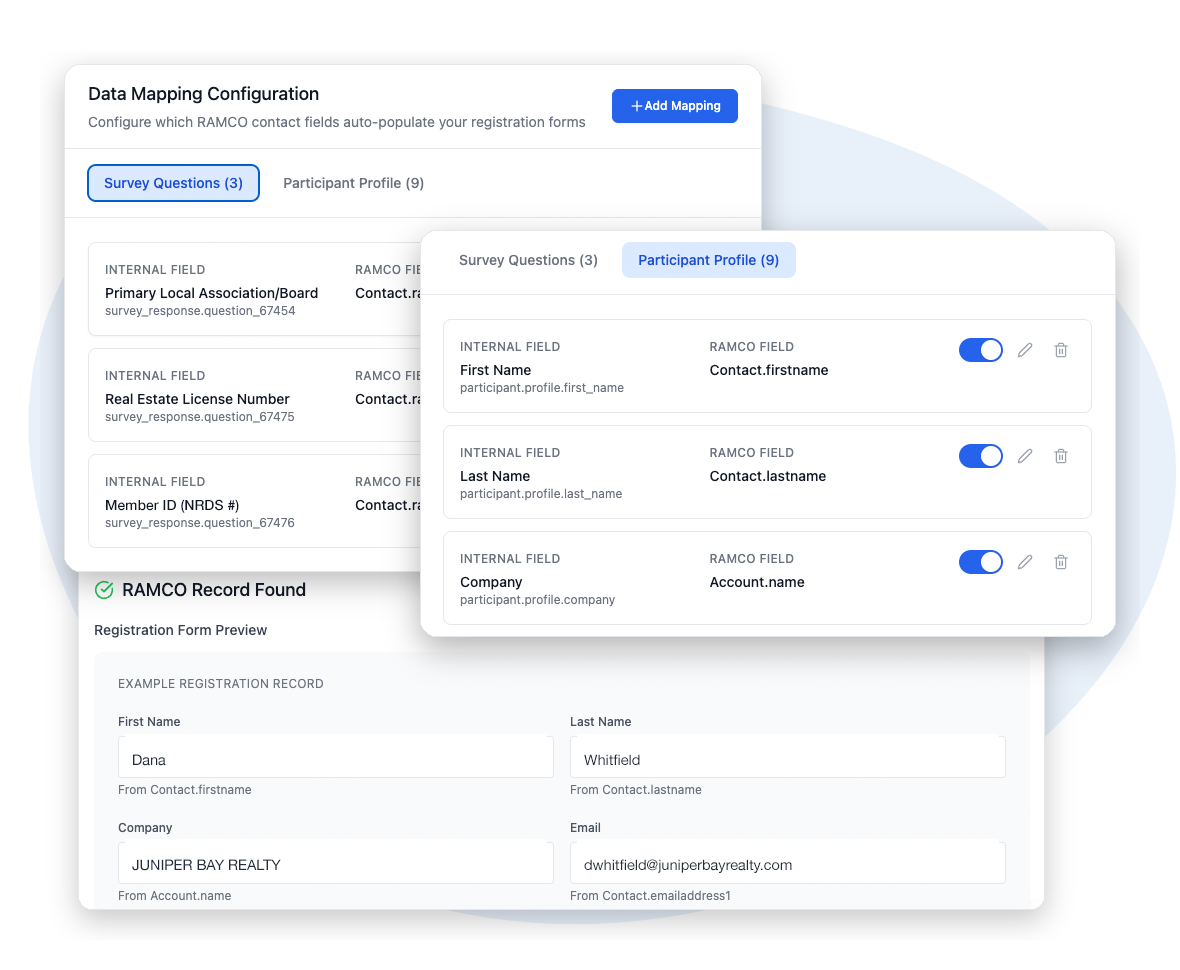
NRDS lookup autofills registration
.webp)
Registrations, attendance, and leads write back
%20(1).webp)
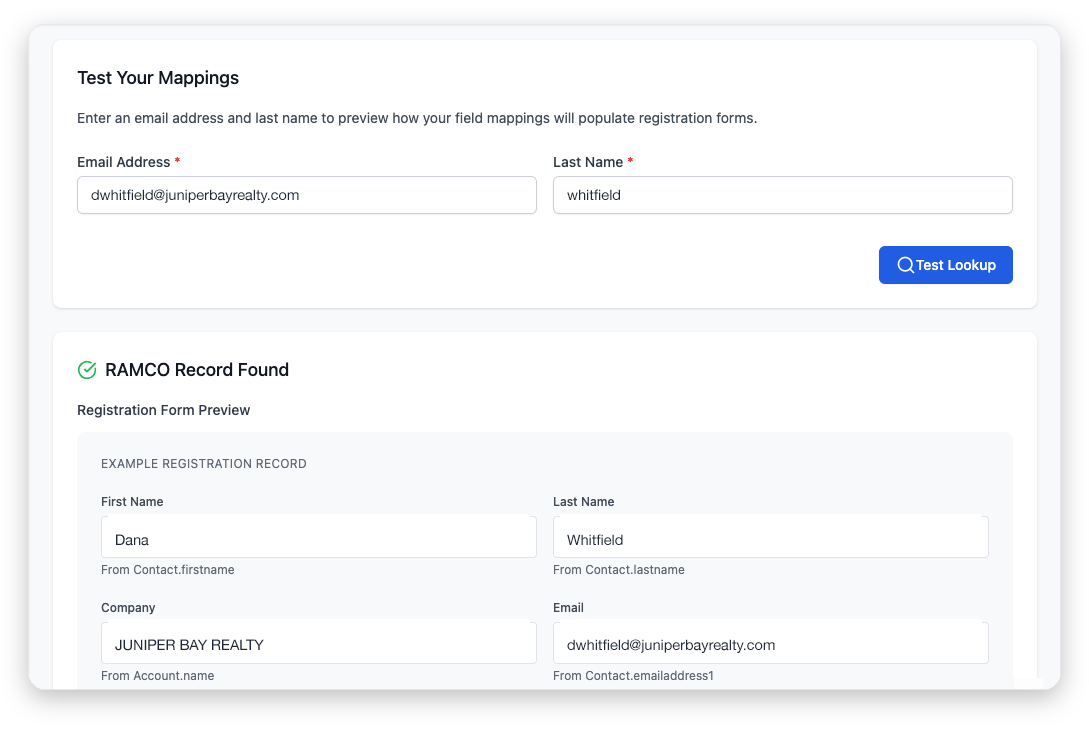
Field mappings with a built-in test lookup
How the integration works
At registration
Registrants look themselves up by last name and NRDS ID. The lookup pulls their member record from RAMCO and fills in the form, so members never retype what your association already knows.
After payment and check-in
Completed registrations write back to the RAMCO meeting or class you connect. Attendance carries over from scanner check-in, registrants who aren't members yet come in as leads, and the integration can create a new RAMCO contact when there's no match.
You stay in control
Field mappings decide which fields autofill from the lookup and which write back. A built-in test lookup runs your setup against a real record, so you can verify every mapping before the event opens.
Setup is two steps
A team admin adds your RAMCO credentials once under Manage Team. From then on, each event connects itself to a meeting or class in a few clicks. No IT project required.
RAMCO for REALTOR® associations →
All 40 benefits with RAMCO AMS →
Book a demo
Bring your RAMCO instance to the demo. We'll run a live NRDS lookup, walk through the field mappings, and show you exactly what writes back after payment and check-in.
What syncs
- Member information from the NRDS lookup
- Registrations after successful payment
- Attendance from scanner check-in
- Leads for registrants who aren't RAMCO contacts
See it on your events
Book a demo. We’ll tailor it to the events you run and follow up with a contract that matches.
Book Demo →